Habitly
An offline-first habit and task planner with local reminders and optional cloud synchronization.
Overview
A mobile planner for daily habits, scheduled progress, recurring tasks, subtasks, and statistics. Guest onboarding and local storage let people start tracking without creating an account.
Expo Router screens use feature logic and repositories backed by SQLite. Database triggers queue local edits in a revision-aware outbox. Optional Firebase accounts synchronize those changes with Firestore, while each account keeps its own local database and device-specific reminders.
Key features
- Habit schedules, daily entries, streaks, history, and progress statistics
- Tasks with subtasks, recurrence, and local notifications
- Offline-first SQLite storage with versioned migrations
- Google sign-in and optional Firestore synchronization
- Separate local databases for guest and signed-in accounts
- Appearance settings, search, and JSON export
Tech stack
Product walkthrough
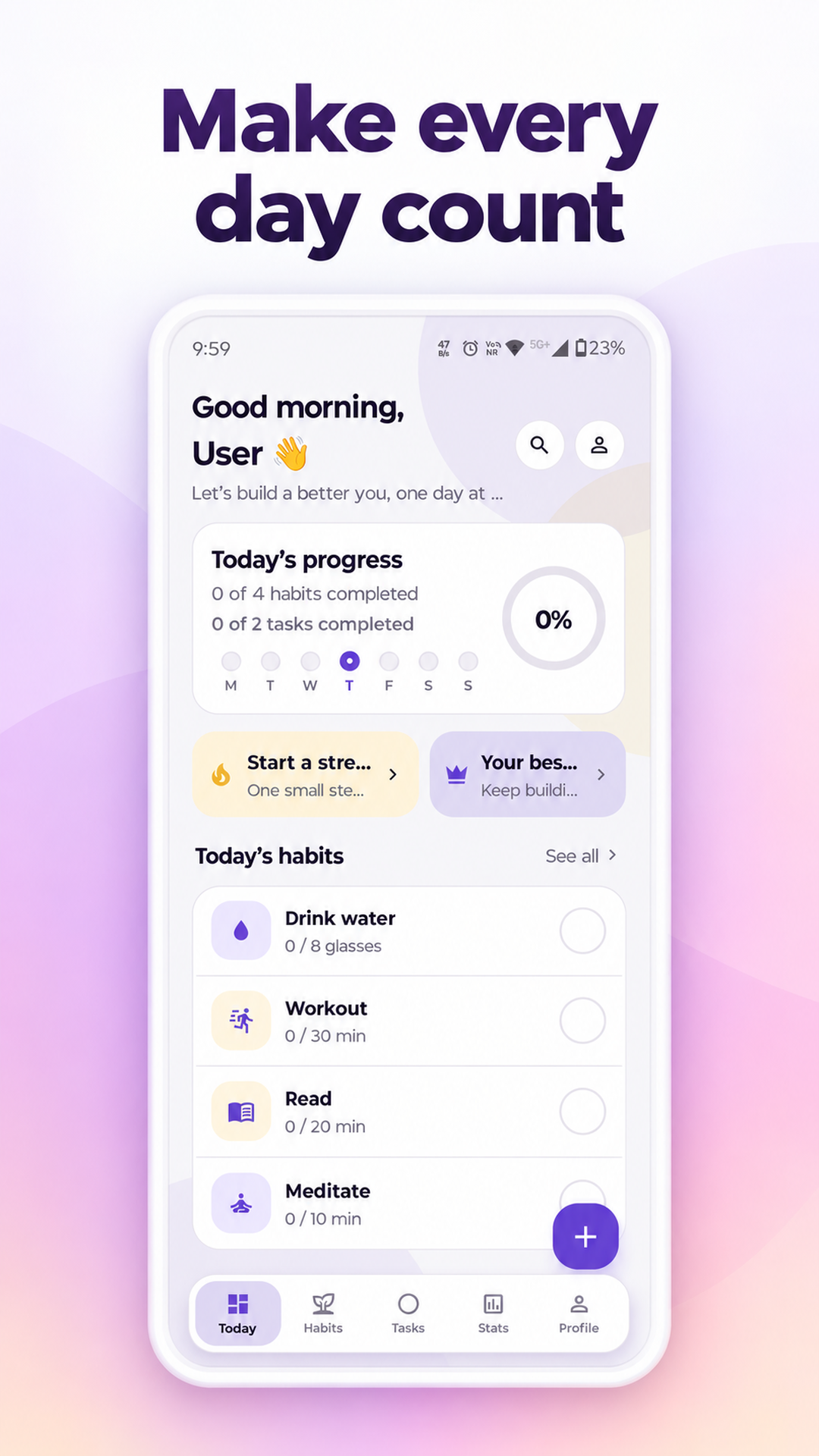
Today
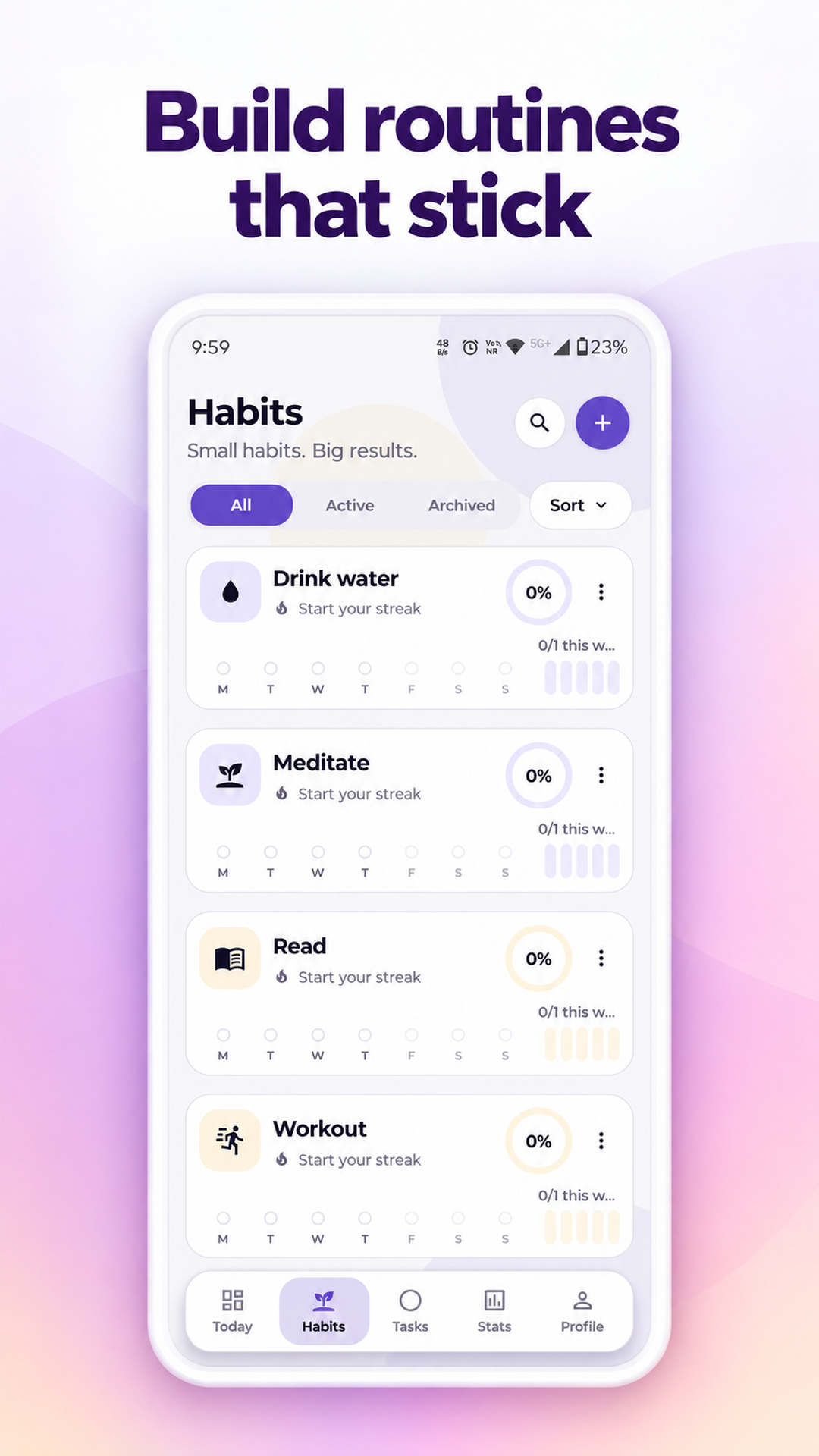
Habits
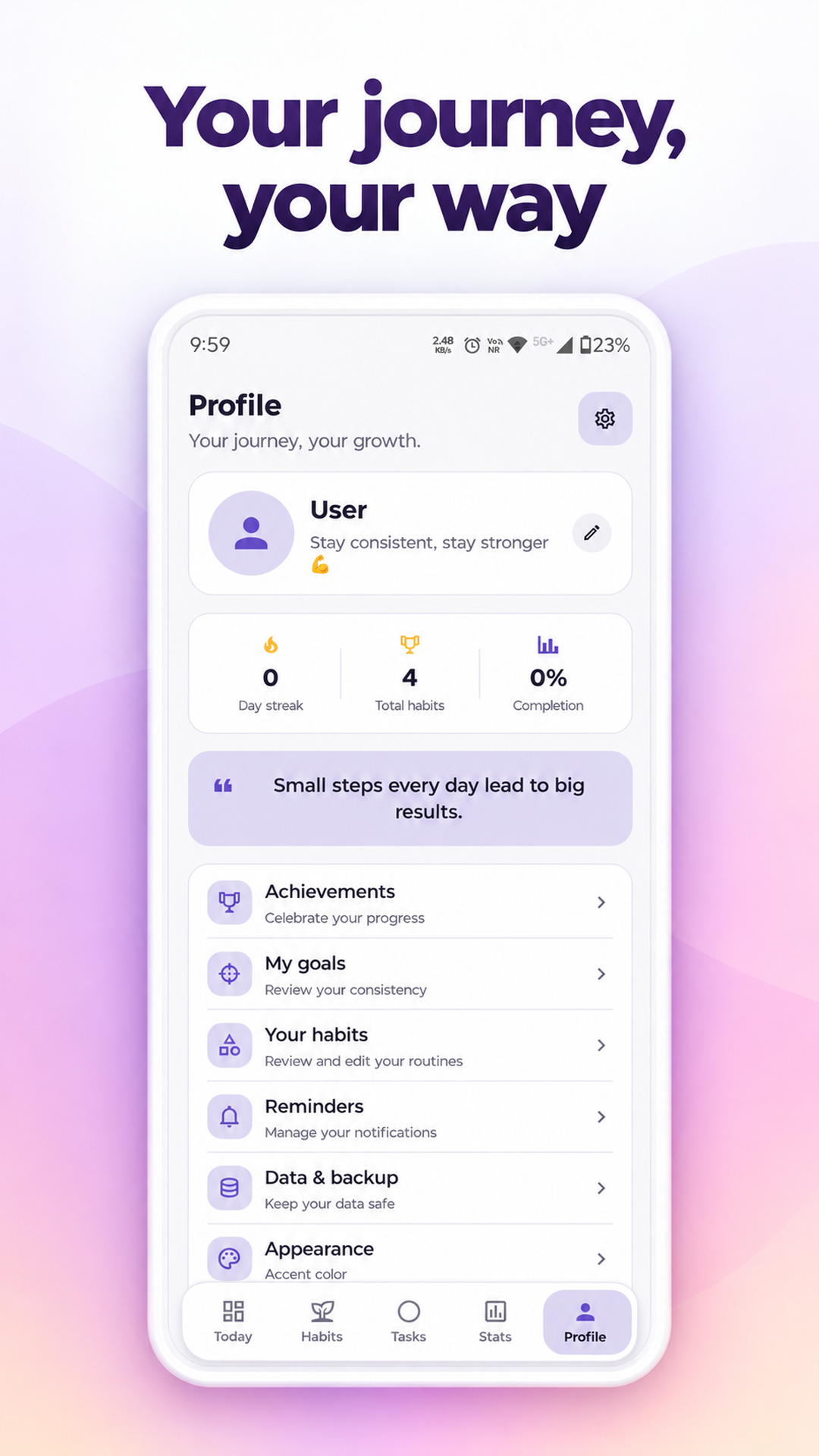
Profile
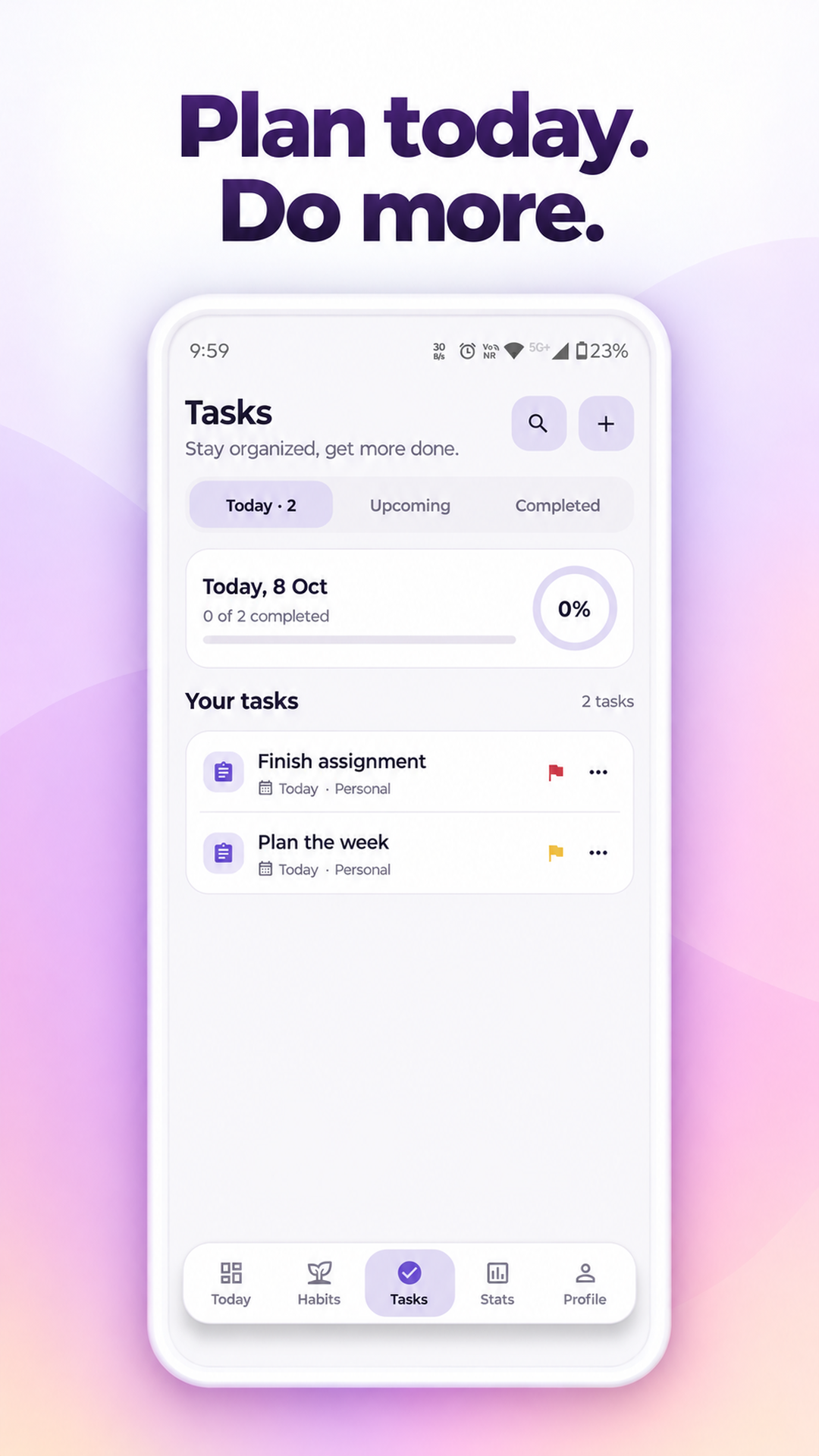
Tasks
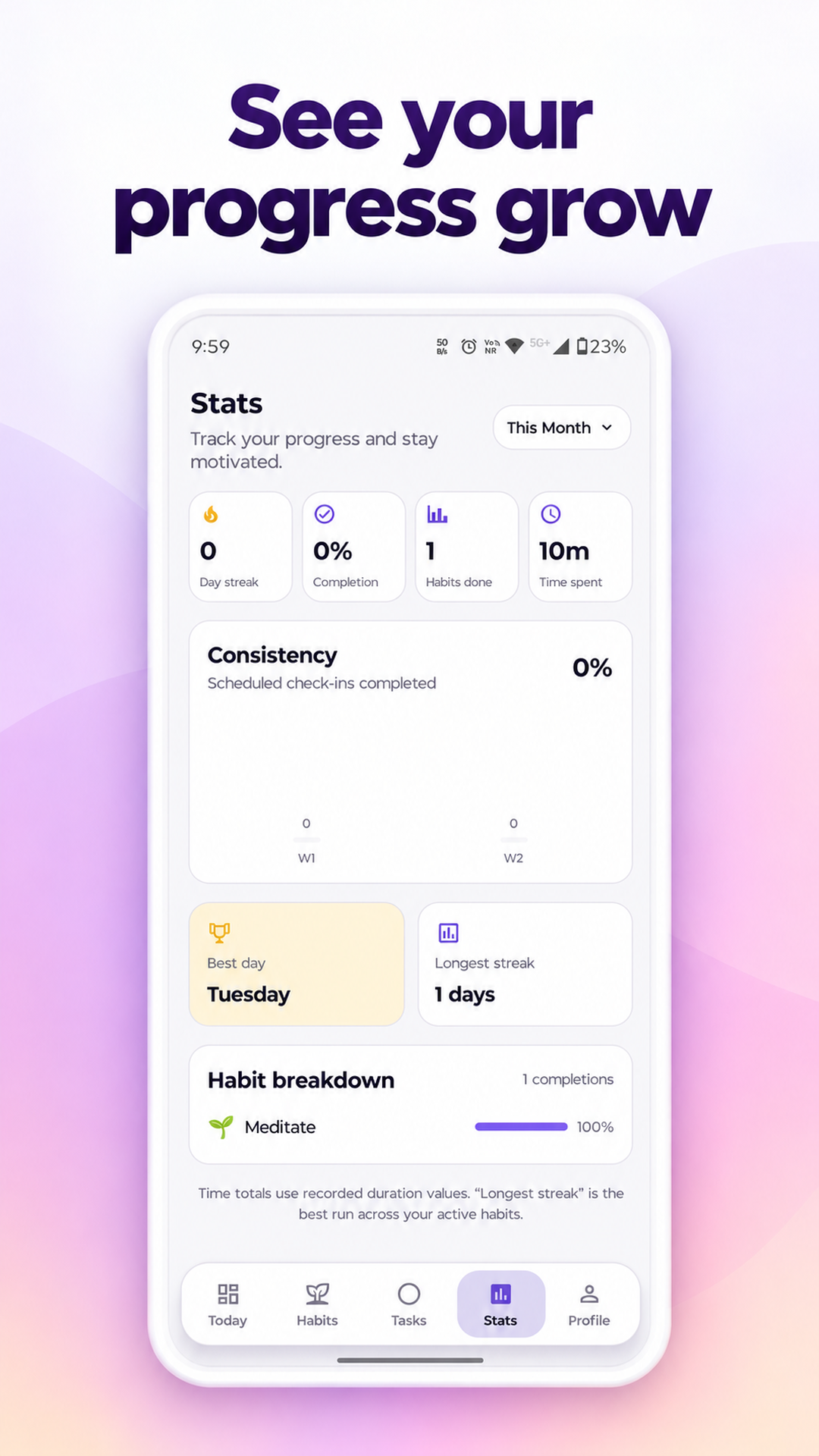
Stats
Architectural Diagram
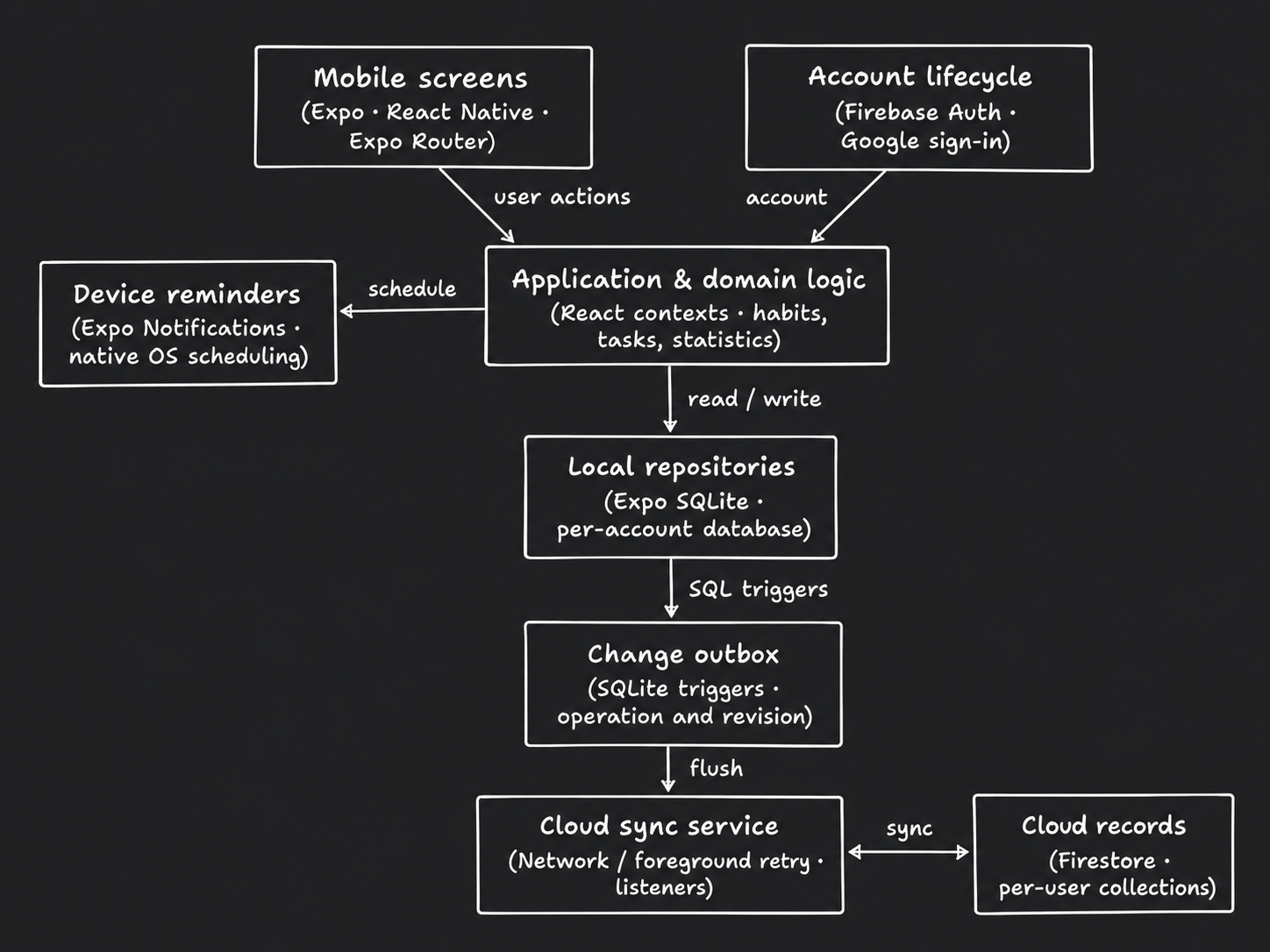
Arrows show direction. Dashed connections indicate conditional or supporting paths.
Read diagram as text
- Mobile screens
- Expo · React Native · Expo Router
- Account lifecycle
- Firebase Auth · Google sign-in
- Application & domain logic
- React contexts · habits, tasks, statistics
- Device reminders
- Expo Notifications · native OS scheduling
- Local repositories
- Expo SQLite · per-account database
- Change outbox
- SQLite triggers · operation and revision
- Cloud sync service
- Network / foreground retry · listeners
- Cloud records
- Firestore · per-user collections
Connections
- Mobile screens → Application & domain logic: user actions.
- Account lifecycle → Application & domain logic: account.
- Application & domain logic → Device reminders: schedule.
- Application & domain logic → Local repositories: read / write.
- Local repositories → Change outbox: SQL triggers.
- Change outbox → Cloud sync service: flush.
- Cloud sync service ↔ Cloud records: sync.
- Guest data uses its own database; switching accounts changes the database owner and reconciles local reminders.
- Account deletion additionally calls an external server endpoint; that server is outside the mobile repository.
Workflow Diagram
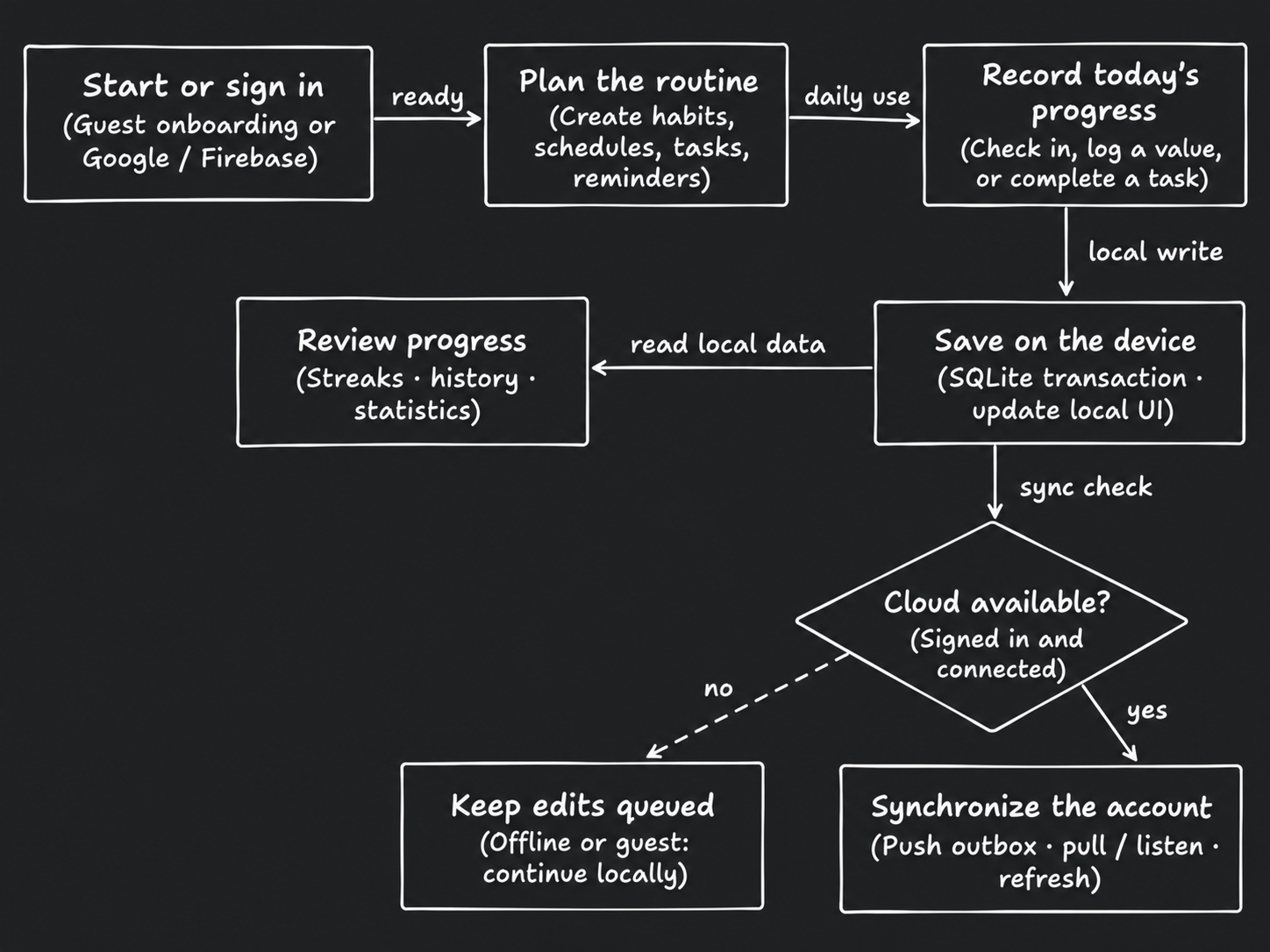
Arrows show direction. Dashed connections indicate conditional or supporting paths.
Read diagram as text
- Start or sign in
- Guest onboarding or Google / Firebase
- Plan the routine
- Create habits, schedules, tasks, reminders
- Record today's progress
- Check in, log a value, or complete a task
- Save on the device
- SQLite transaction · update local UI
- Review progress
- Streaks · history · statistics
- Cloud available?
- Signed in and connected
- Keep edits queued
- Offline or guest: continue locally
- Synchronize the account
- Push outbox · pull / listen · refresh
Connections
- Start or sign in → Plan the routine: ready.
- Plan the routine → Record today's progress: daily use.
- Record today's progress → Save on the device: local write.
- Save on the device → Review progress: read local data.
- Save on the device → Cloud available?: sync check.
- Cloud available? → Keep edits queued: no (conditional or supporting).
- Cloud available? → Synchronize the account: yes.
- Local reminders are scheduled through the device OS rather than sent as cloud push notifications.
- Google sign-in needs a native development/production build on mobile; guest mode does not require Firebase configuration.
Feature Deep Dive: Offline Sync Outbox
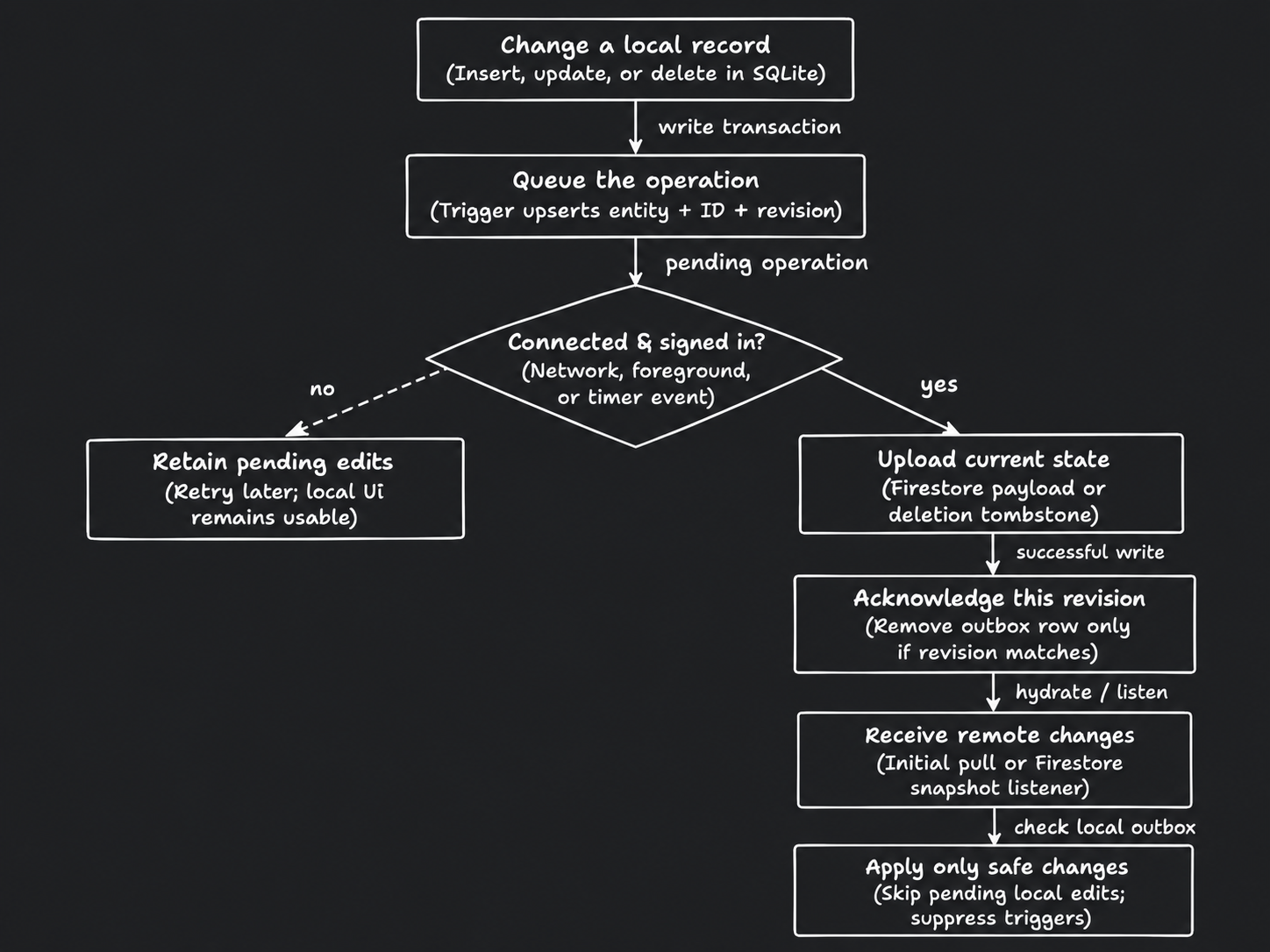
Arrows show direction. Dashed connections indicate conditional or supporting paths.
Read diagram as text
- Change a local record
- Insert, update, or delete in SQLite
- Queue the operation
- Trigger upserts entity + ID + revision
- Connected & signed in?
- Network, foreground, or timer event
- Retain pending edits
- Retry later; local UI remains usable
- Upload current state
- Firestore payload or deletion tombstone
- Acknowledge this revision
- Remove outbox row only if revision matches
- Receive remote changes
- Initial pull or Firestore snapshot listener
- Apply only safe changes
- Skip pending local edits; suppress triggers
Connections
- Change a local record → Queue the operation: write transaction.
- Queue the operation → Connected & signed in?: pending operation.
- Connected & signed in? → Retain pending edits: no (conditional or supporting).
- Connected & signed in? → Upload current state: yes.
- Upload current state → Acknowledge this revision: successful write.
- Acknowledge this revision → Receive remote changes: hydrate / listen.
- Receive remote changes → Apply only safe changes: check local outbox.
- Newer local edits retain their outbox row when an older upload completes. Failed uploads remain pending.
- Remote imports set the importing guard, preventing echo writes; reminder identifiers are reconciled per device.