Excalidraw
A collaborative drawing workspace with a custom editor engine and real-time room synchronization.
Overview
An interactive drawing application with shapes, free drawing, text, images, selection, history, and reusable library items. Guests keep drawings on their device; signed-in users can save private scenes and collaborate in rooms.
A pnpm/Turborepo workspace separates the Next.js editor, Express API, WebSocket service, and snapshot worker. Shared packages own the drawing engine, protocol, permissions, and database operations. Live room state is coordinated in Redis, then written to versioned PostgreSQL snapshots through BullMQ.
Key features
- Custom TypeScript drawing engine for geometry, tools, rendering, and history
- Guest drawings and local drafts persisted in IndexedDB
- Authenticated rooms with owner, editor, and viewer permissions
- Live edits, cursors, selections, previews, and presence
- Element reconciliation with versions and deletion tombstones
- Queued snapshot persistence and dirty-room recovery
Tech stack
Product walkthrough
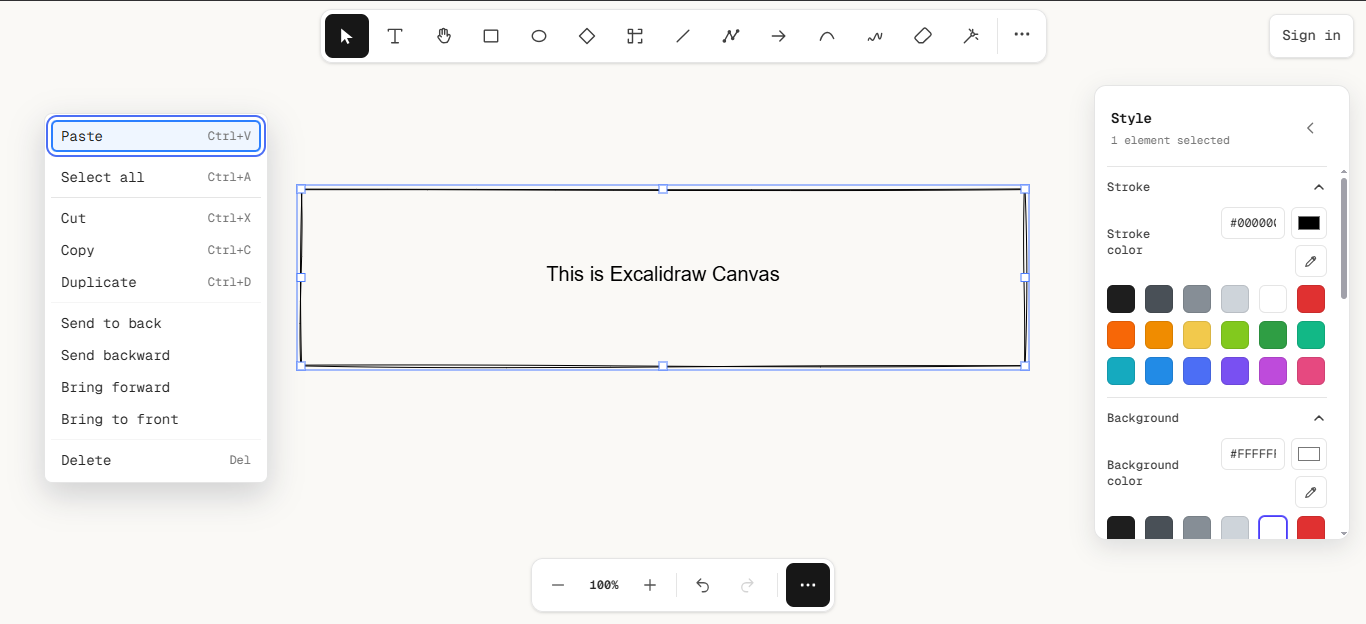
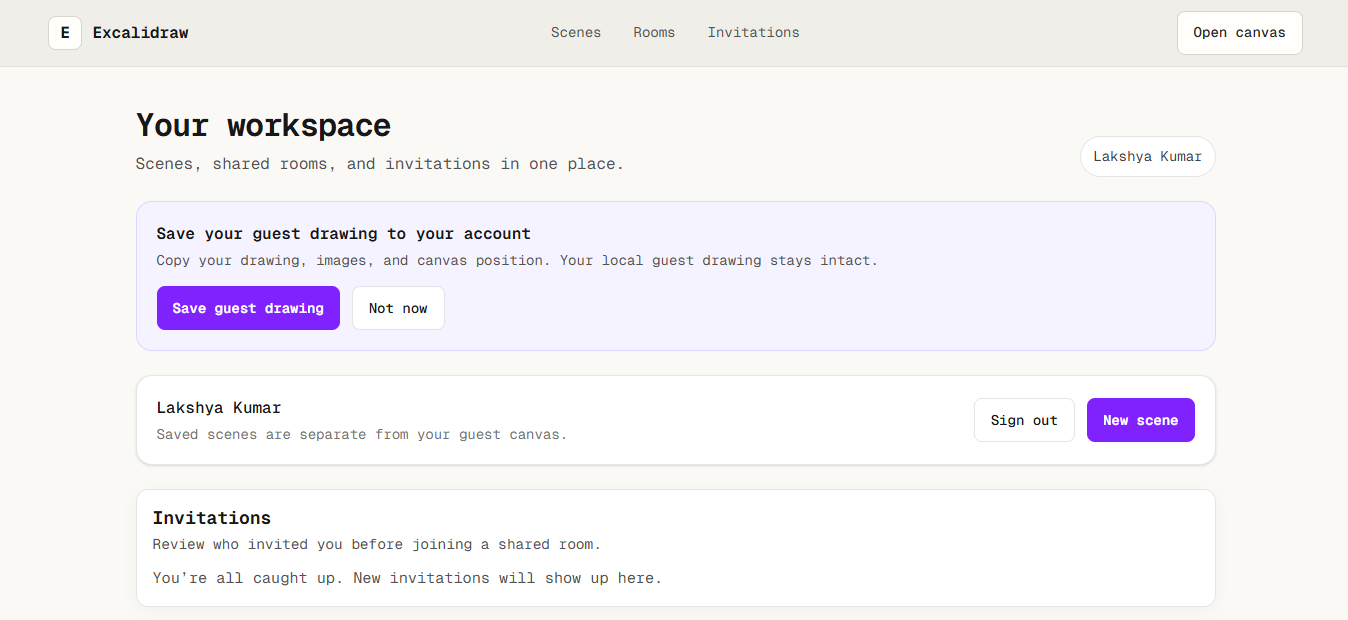
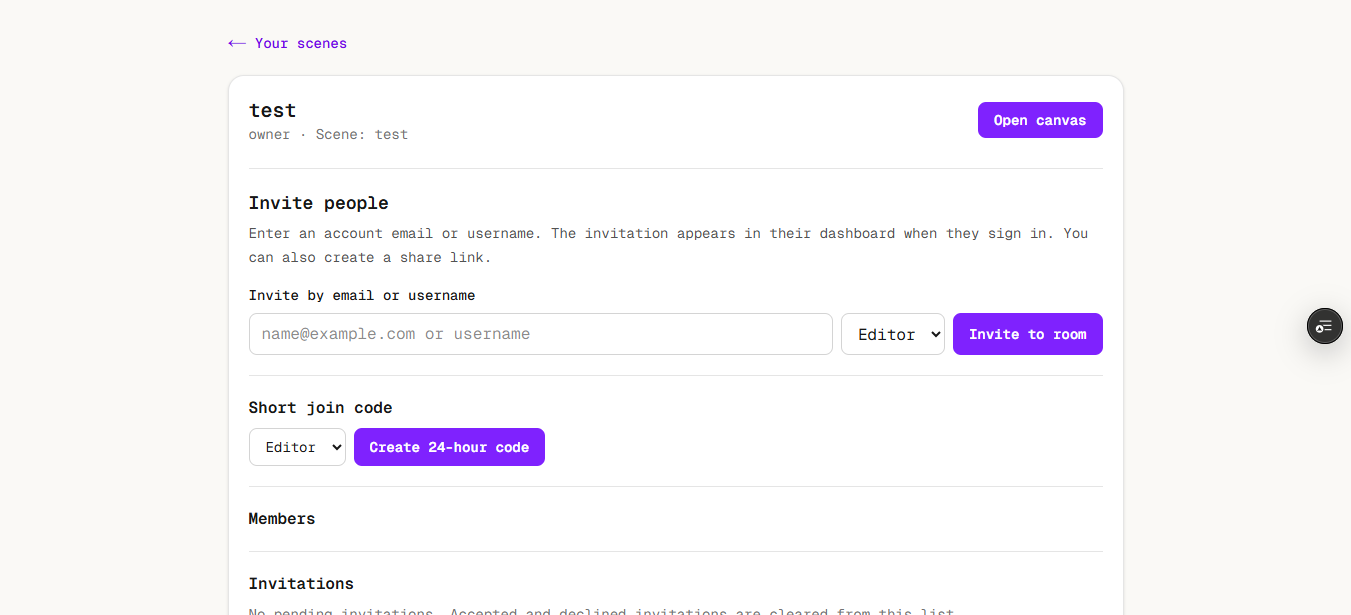
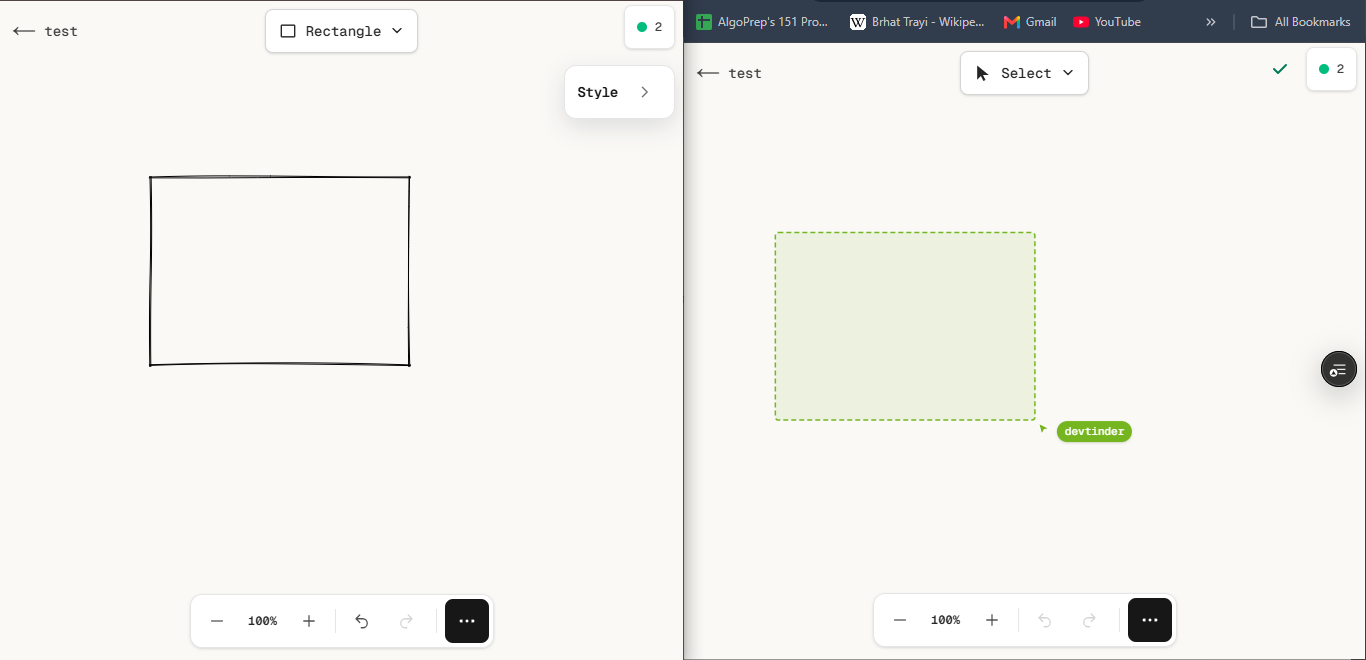
Architectural Diagram
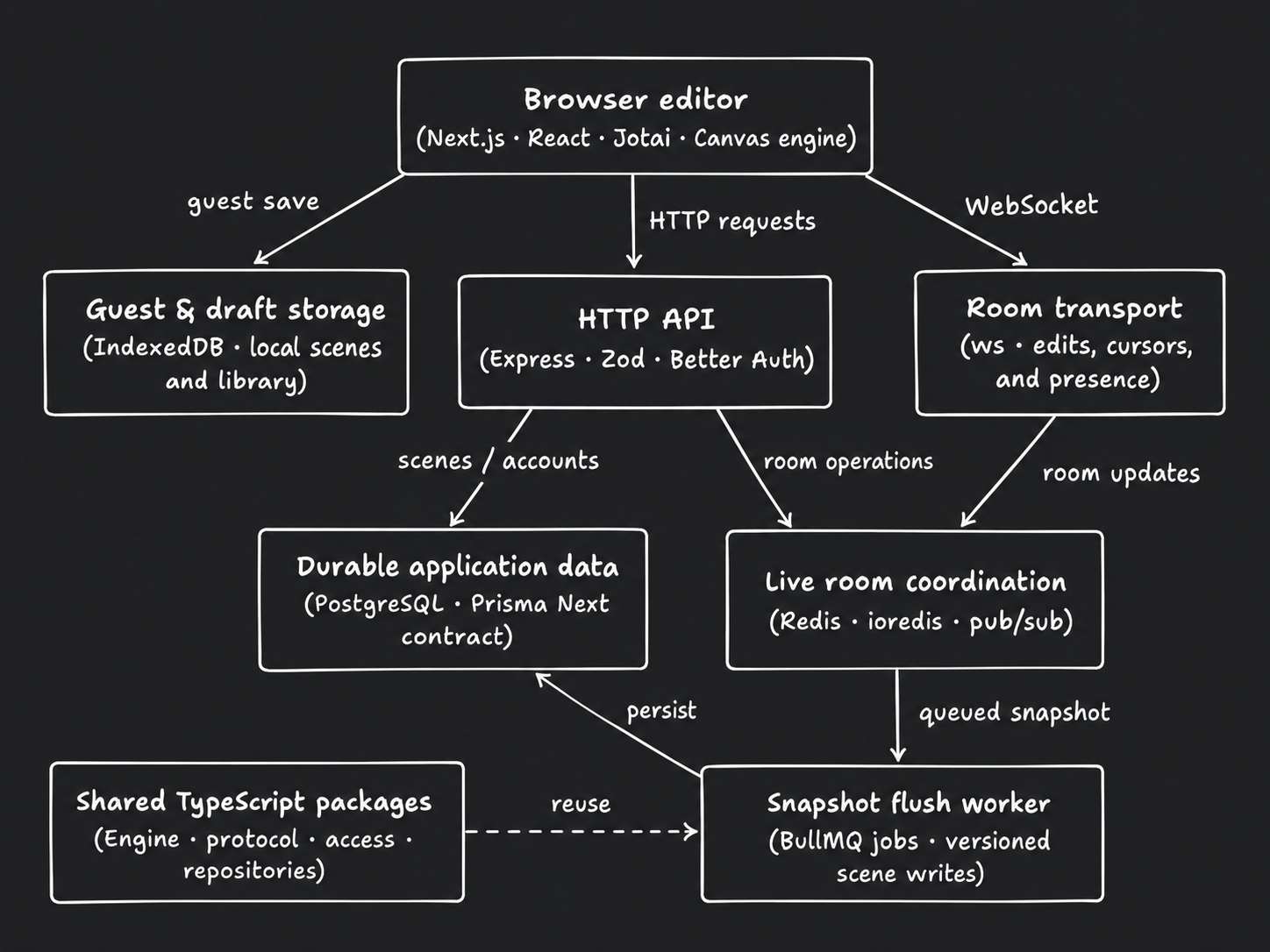
Arrows show direction. Dashed connections indicate conditional or supporting paths.
Read diagram as text
- Browser editor
- Next.js · React · Jotai · Canvas engine
- Guest & draft storage
- IndexedDB · local scenes and library
- HTTP API
- Express · Zod · Better Auth
- Room transport
- ws · edits, cursors, and presence
- Durable application data
- PostgreSQL · Prisma Next contract
- Live room coordination
- Redis · ioredis · pub/sub
- Snapshot flush worker
- BullMQ jobs · versioned scene writes
- Shared TypeScript packages
- Engine · protocol · access · repositories
Connections
- Browser editor → Guest & draft storage: guest save.
- Browser editor → HTTP API: HTTP requests.
- Browser editor → Room transport: WebSocket.
- HTTP API → Durable application data: scenes / accounts.
- HTTP API → Live room coordination: room operations.
- Room transport → Live room coordination: room updates.
- Live room coordination → Snapshot flush worker: queued snapshot.
- Snapshot flush worker → Durable application data: persist.
- Shared TypeScript packages → Snapshot flush worker: reuse (conditional or supporting).
- The web, API, socket service, and worker live in a pnpm/Turborepo workspace.
- Presence and previews are ephemeral; the persistence path shown is for committed scene state.
Workflow Diagram
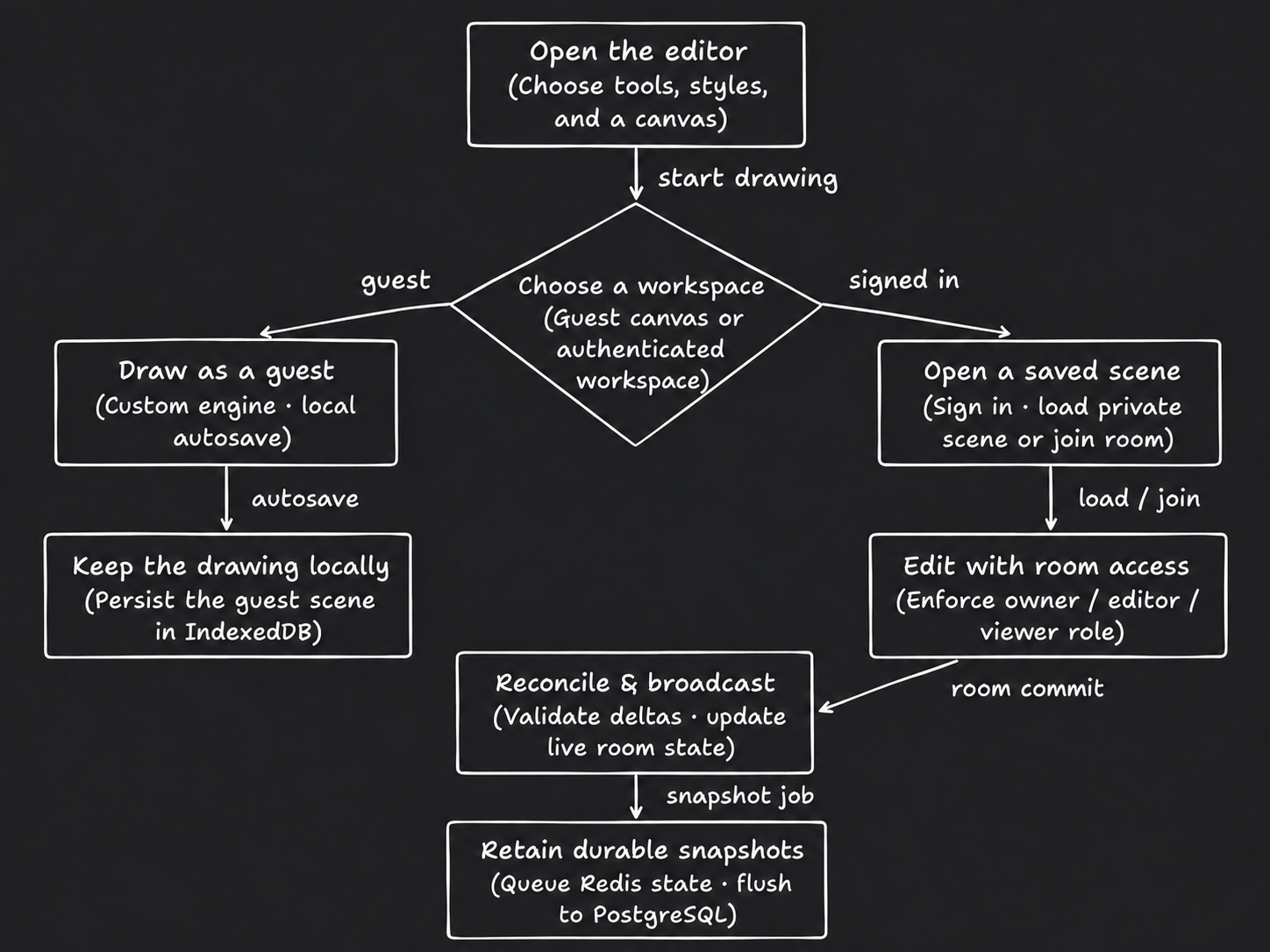
Arrows show direction. Dashed connections indicate conditional or supporting paths.
Read diagram as text
- Open the editor
- Choose tools, styles, and a canvas
- Choose a workspace
- Guest canvas or authenticated workspace
- Draw as a guest
- Custom engine · local autosave
- Open a saved scene
- Sign in · load private scene or join room
- Keep the drawing locally
- Persist the guest scene in IndexedDB
- Edit with room access
- Enforce owner / editor / viewer role
- Reconcile & broadcast
- Validate deltas · update live room state
- Retain durable snapshots
- Queue Redis state · flush to PostgreSQL
Connections
- Open the editor → Choose a workspace: start drawing.
- Choose a workspace → Draw as a guest: guest.
- Choose a workspace → Open a saved scene: signed in.
- Draw as a guest → Keep the drawing locally: autosave.
- Open a saved scene → Edit with room access: load / join.
- Edit with room access → Reconcile & broadcast: room commit.
- Reconcile & broadcast → Retain durable snapshots: snapshot job.
- Private account scenes use the HTTP persistence path; the broadcast/flush branch describes collaborative rooms.
- A viewer can observe a room but cannot commit edits. Guest work remains on the device until explicitly imported.
Feature Deep Dive: Live Edits & Persistence
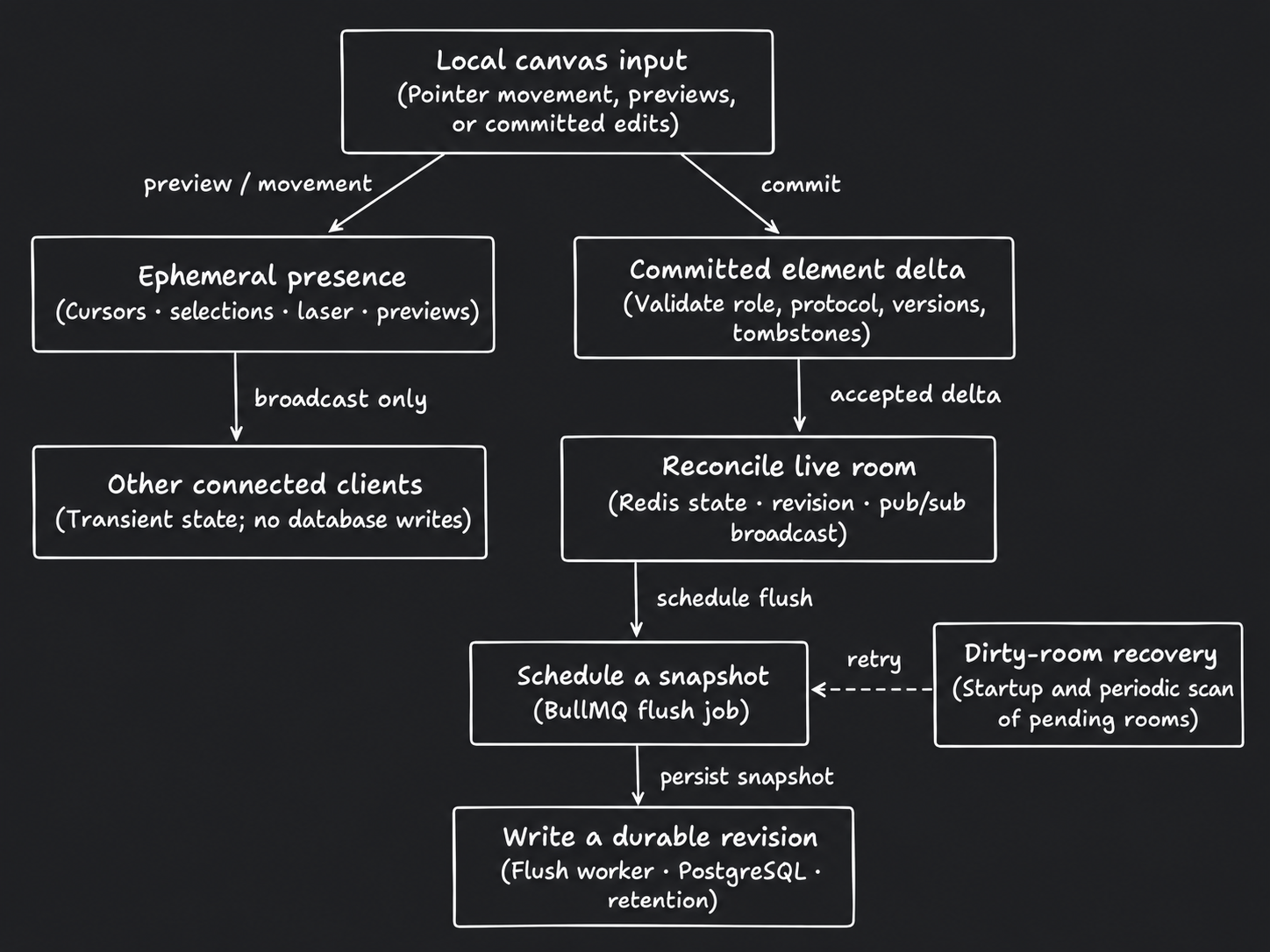
Arrows show direction. Dashed connections indicate conditional or supporting paths.
Read diagram as text
- Local canvas input
- Pointer movement, previews, or committed edits
- Ephemeral presence
- Cursors · selections · laser · previews
- Committed element delta
- Validate role, protocol, versions, tombstones
- Other connected clients
- Transient state; no database writes
- Reconcile live room
- Redis state · revision · pub/sub broadcast
- Dirty-room recovery
- Startup and periodic scan of pending rooms
- Schedule a snapshot
- BullMQ flush job
- Write a durable revision
- Flush worker · PostgreSQL · retention
Connections
- Local canvas input → Ephemeral presence: preview / movement.
- Local canvas input → Committed element delta: commit.
- Ephemeral presence → Other connected clients: broadcast only.
- Committed element delta → Reconcile live room: accepted delta.
- Reconcile live room → Schedule a snapshot: schedule flush.
- Dirty-room recovery → Schedule a snapshot: retry (conditional or supporting).
- Schedule a snapshot → Write a durable revision: persist snapshot.
- Element reconciliation uses shared deterministic rules; this is a custom protocol rather than a Yjs/Automerge integration.
- Redis-to-PostgreSQL persistence is asynchronous. The recovery scan helps close the write/enqueue crash gap.