AI Teammates
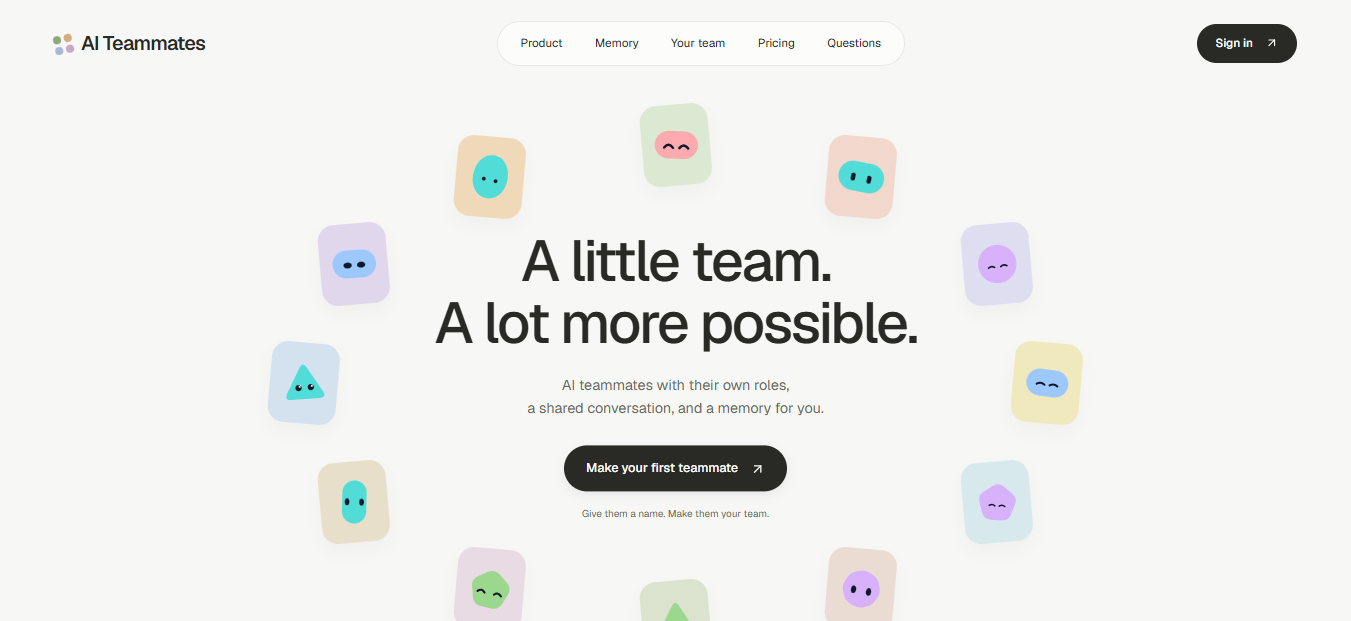
AI coworkers with persistent memory, group conversations, and their own remote computers.
Overview
A workspace for creating AI teammates with individual roles and instructions. Talk directly to a bot or bring multiple bots into a shared conversation, with model selection and memory controls built into the experience.
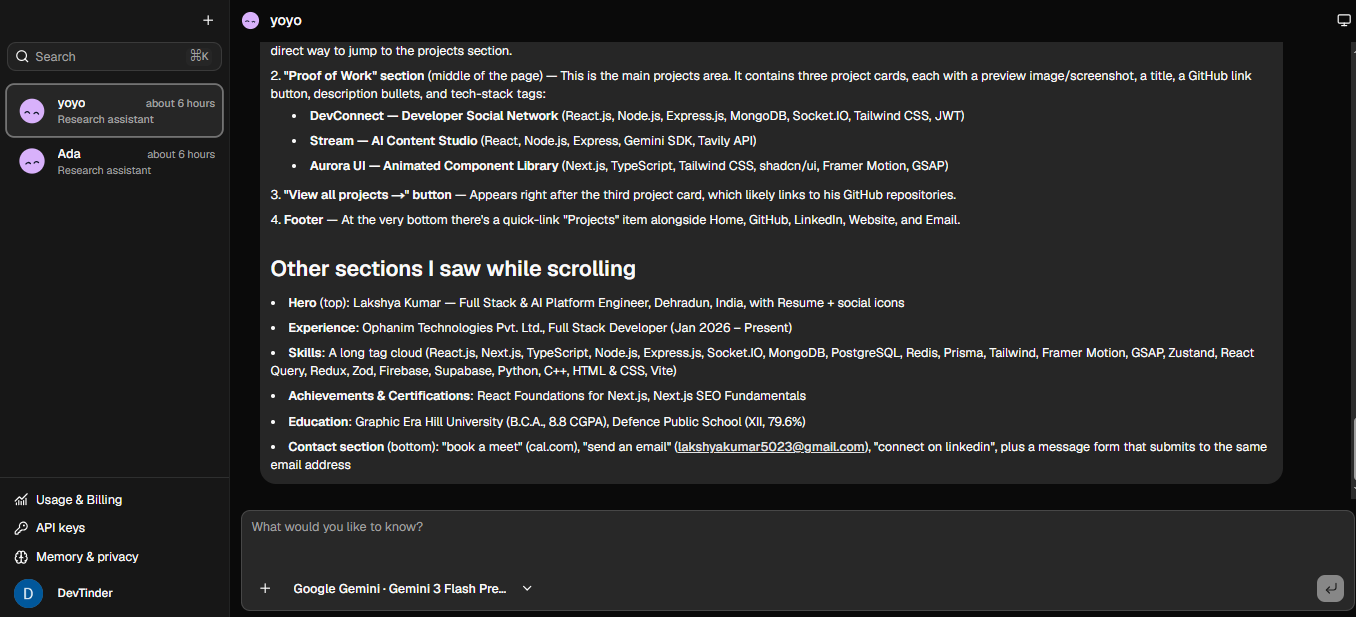
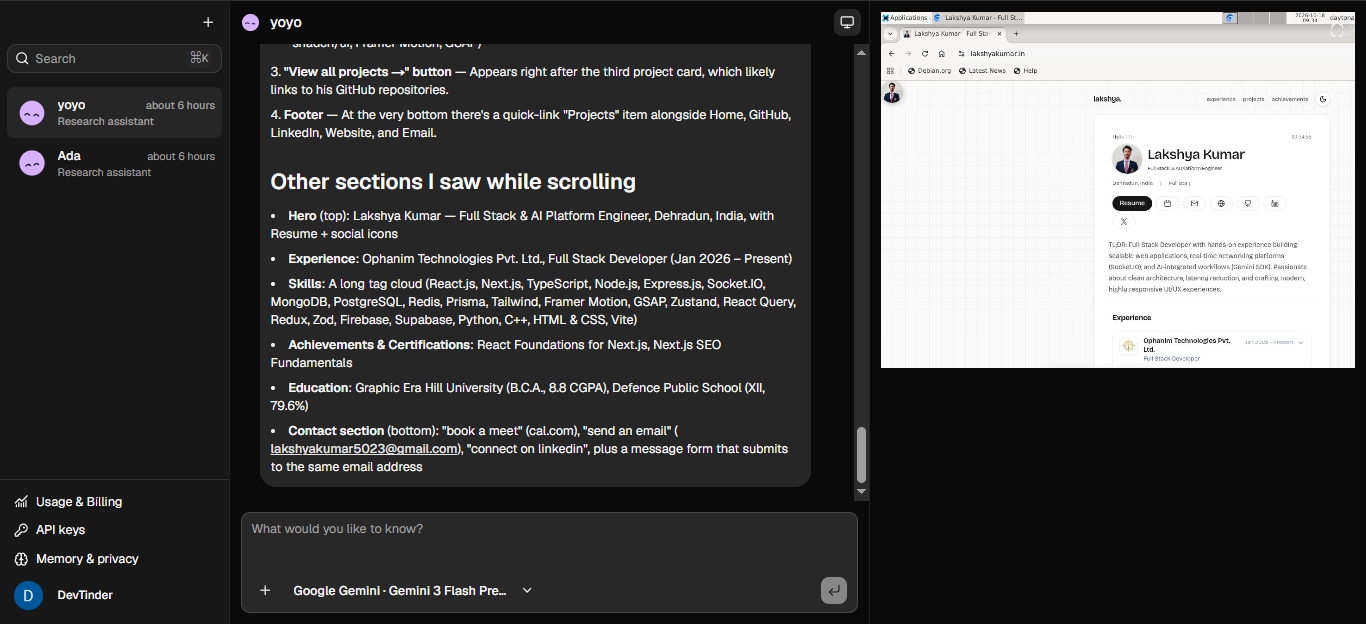
Next.js handles the web application and authenticated actions. Trigger.dev runs durable chat sessions through the AI SDK, while Daytona provides isolated computers for shell commands, files, and desktop interaction. Neon stores application records; Trigger stores transcripts, and bot-specific memory also lives in the sandbox.
Key features
- Custom bots with saved roles, instructions, and avatars
- Direct conversations and controlled group handoffs between bots
- Gemini, Groq, OpenRouter, and optional Ollama model integrations
- Command, file, and computer-use tools with a live desktop viewer
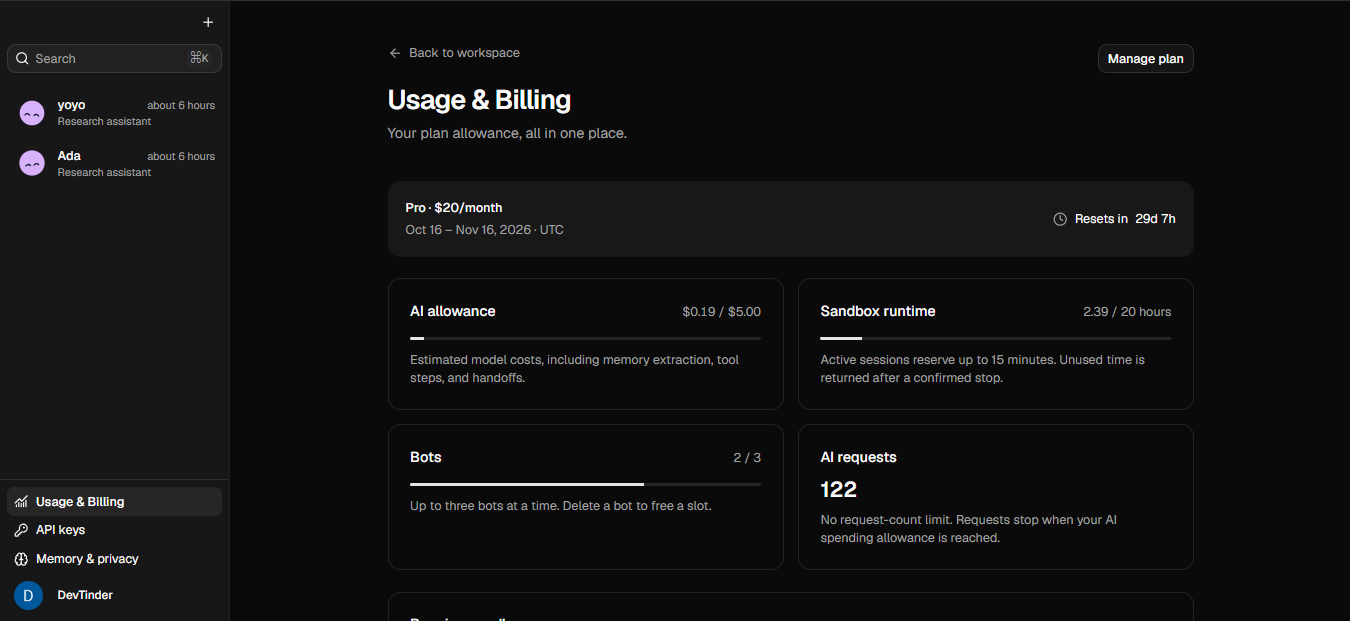
- Memory preferences, usage accounting, and sandbox resource limits
Tech stack
Product walkthrough
Architectural Diagram
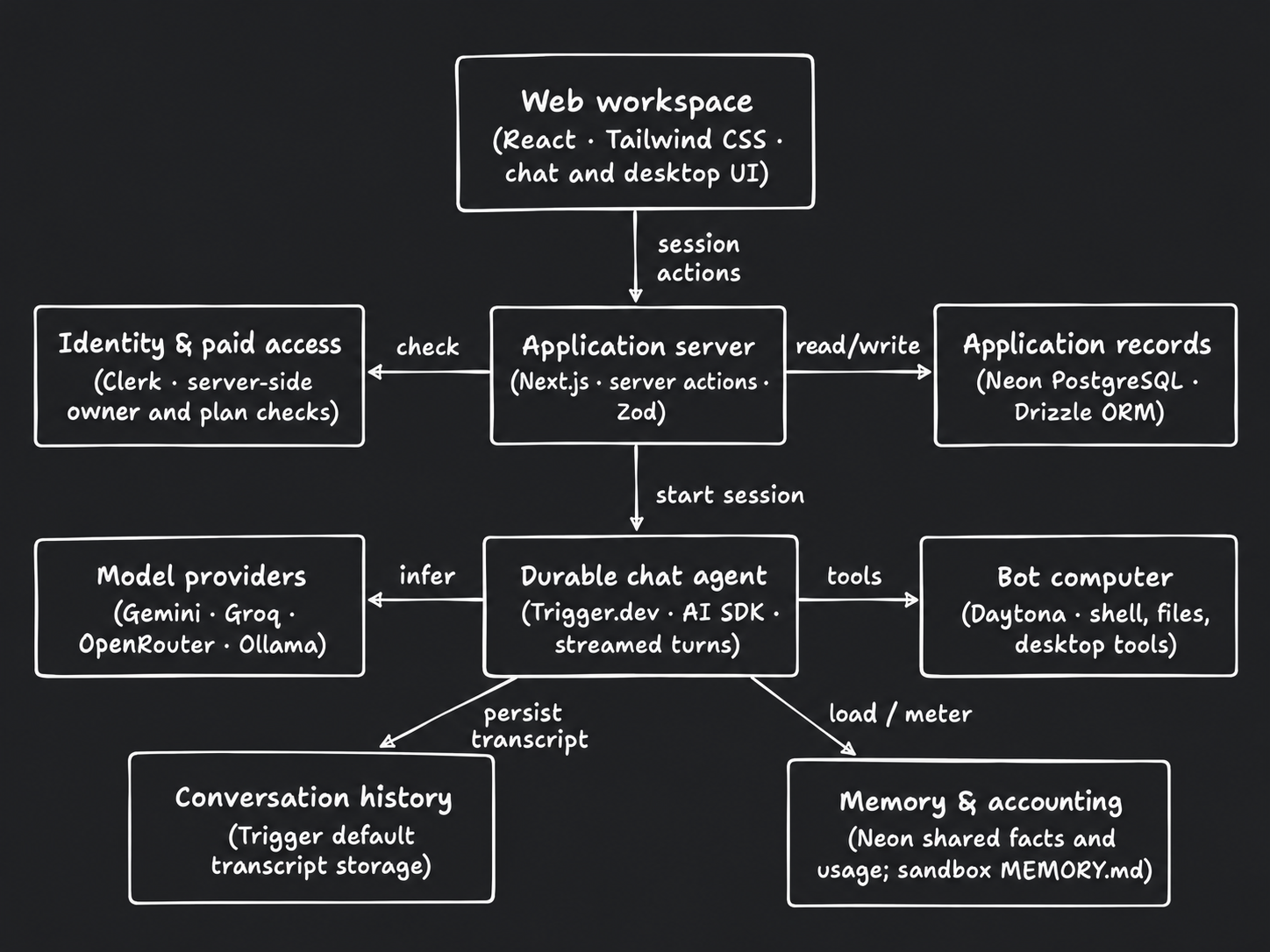
Arrows show direction. Dashed connections indicate conditional or supporting paths.
Read diagram as text
- Web workspace
- React · Tailwind CSS · chat and desktop UI
- Identity & paid access
- Clerk · server-side owner and plan checks
- Application server
- Next.js · server actions · Zod
- Application records
- Neon PostgreSQL · Drizzle ORM
- Model providers
- Gemini · Groq · OpenRouter · Ollama
- Durable chat agent
- Trigger.dev · AI SDK · streamed turns
- Bot computer
- Daytona · shell, files, desktop tools
- Conversation history
- Trigger default transcript storage
- Memory & accounting
- Neon shared facts and usage; sandbox MEMORY.md
Connections
- Web workspace → Application server: session actions.
- Application server → Identity & paid access: check.
- Application server → Application records: read/write.
- Application server → Durable chat agent: start session.
- Durable chat agent → Model providers: infer.
- Durable chat agent → Bot computer: tools.
- Durable chat agent → Conversation history: persist transcript.
- Durable chat agent → Memory & accounting: load / meter.
- Sentry observes the web and worker runtimes; monitoring is a supporting concern, not a message transport.
- The browser's optional noVNC view uses an authorized signed connection to Daytona. Group chat tools differ from direct-chat computer tools.
Workflow Diagram
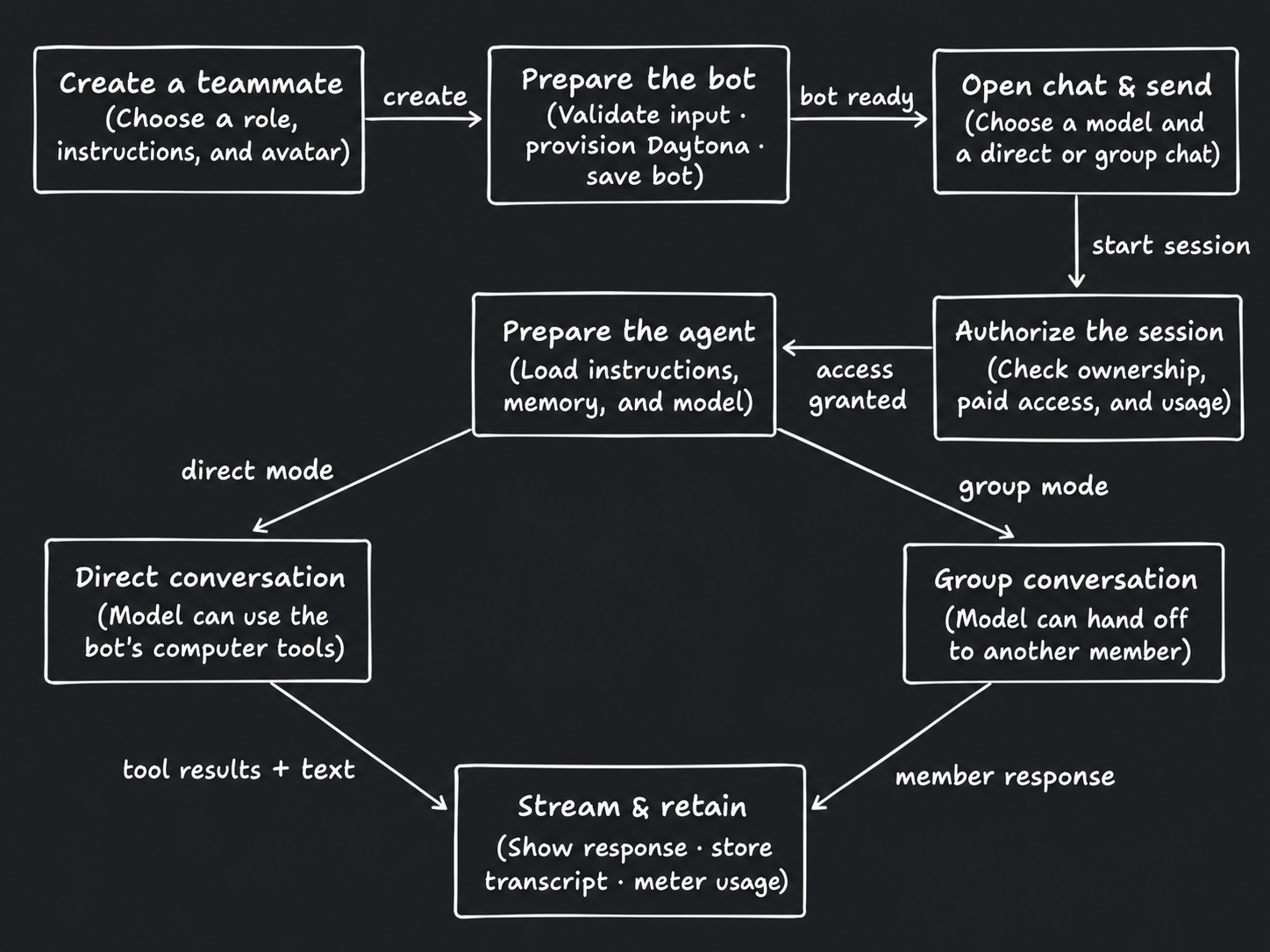
Arrows show direction. Dashed connections indicate conditional or supporting paths.
Read diagram as text
- Create a teammate
- Choose a role, instructions, and avatar
- Prepare the bot
- Validate input · provision Daytona · save bot
- Open chat & send
- Choose a model and a direct or group chat
- Authorize the session
- Check ownership, paid access, and usage
- Prepare the agent
- Load instructions, memory, and model
- Direct conversation
- Model can use the bot's computer tools
- Group conversation
- Model can hand off to another member
- Stream & retain
- Show response · store transcript · meter usage
Connections
- Create a teammate → Prepare the bot: create.
- Prepare the bot → Open chat & send: bot ready.
- Open chat & send → Authorize the session: start session.
- Authorize the session → Prepare the agent: access granted.
- Prepare the agent → Direct conversation: direct mode.
- Prepare the agent → Group conversation: group mode.
- Direct conversation → Stream & retain: tool results + text.
- Group conversation → Stream & retain: member response.
- Access or quota failures return to the user before a new authorized turn proceeds.
- A saved session can reload its transcript and reconnect to an in-progress response.
Feature Deep Dive: Group Handoffs
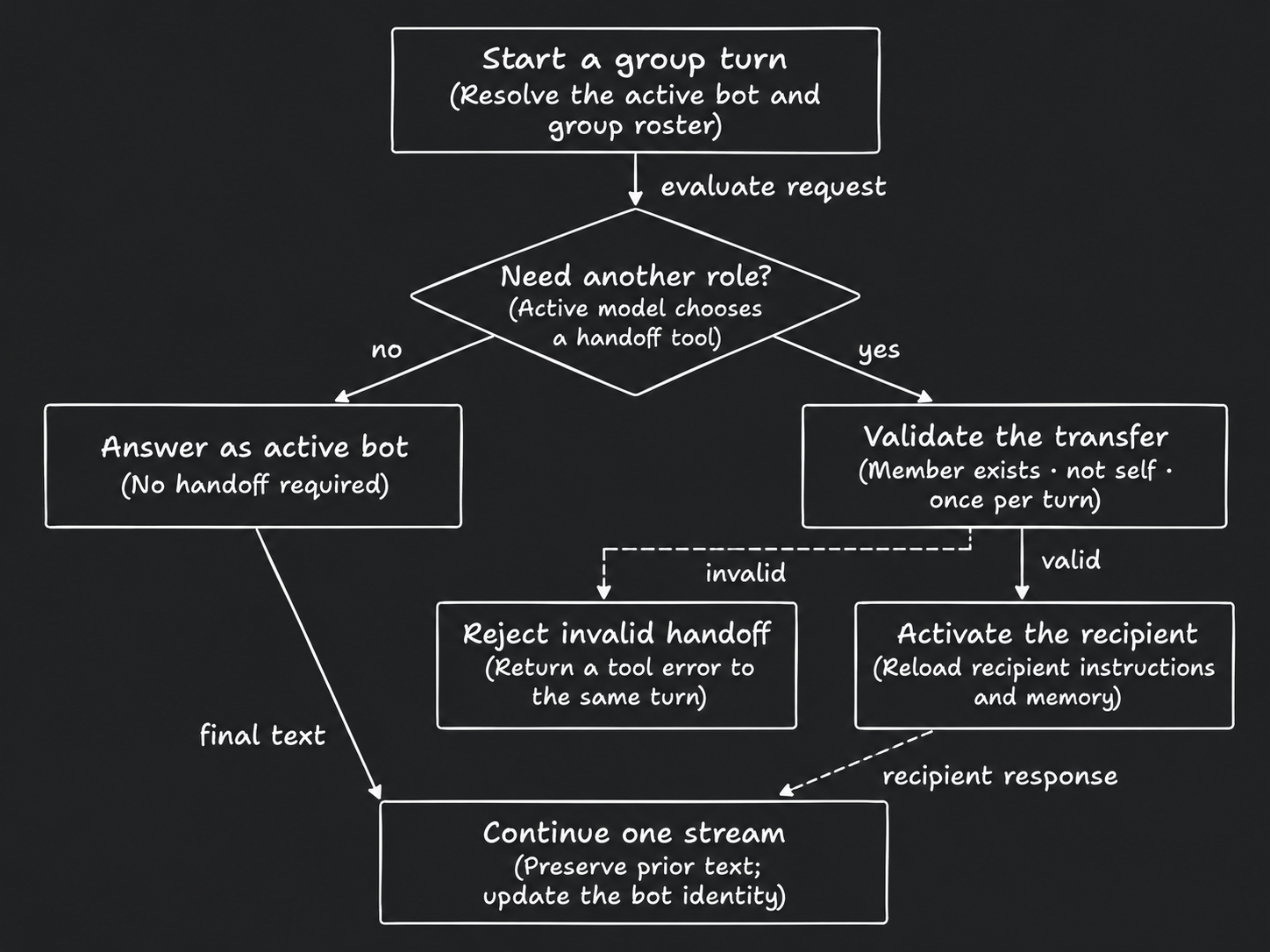
Arrows show direction. Dashed connections indicate conditional or supporting paths.
Read diagram as text
- Start a group turn
- Resolve the active bot and group roster
- Need another role?
- Active model chooses a handoff tool
- Answer as active bot
- No handoff required
- Validate the transfer
- Member exists · not self · once per turn
- Reject invalid handoff
- Return a tool error to the same turn
- Activate the recipient
- Reload recipient instructions and memory
- Continue one stream
- Preserve prior text; update the bot identity
Connections
- Start a group turn → Need another role?: evaluate request.
- Need another role? → Answer as active bot: no.
- Need another role? → Validate the transfer: yes.
- Validate the transfer → Reject invalid handoff: invalid (conditional or supporting).
- Validate the transfer → Activate the recipient: valid.
- Answer as active bot → Continue one stream: final text.
- Activate the recipient → Continue one stream: recipient response.
- The handoff tool permits only one transfer per turn and verifies the recipient against the group roster.
- The recipient receives routed memory access; the direct-chat computer tool set is not automatically exposed to the group.